

How to Manage Coaching Clients Effectively with a CRM
A practical guide to coaching client management with a CRM. Learn setup, scheduling, portals, and invoicing to cut admin and increase kept appointments.
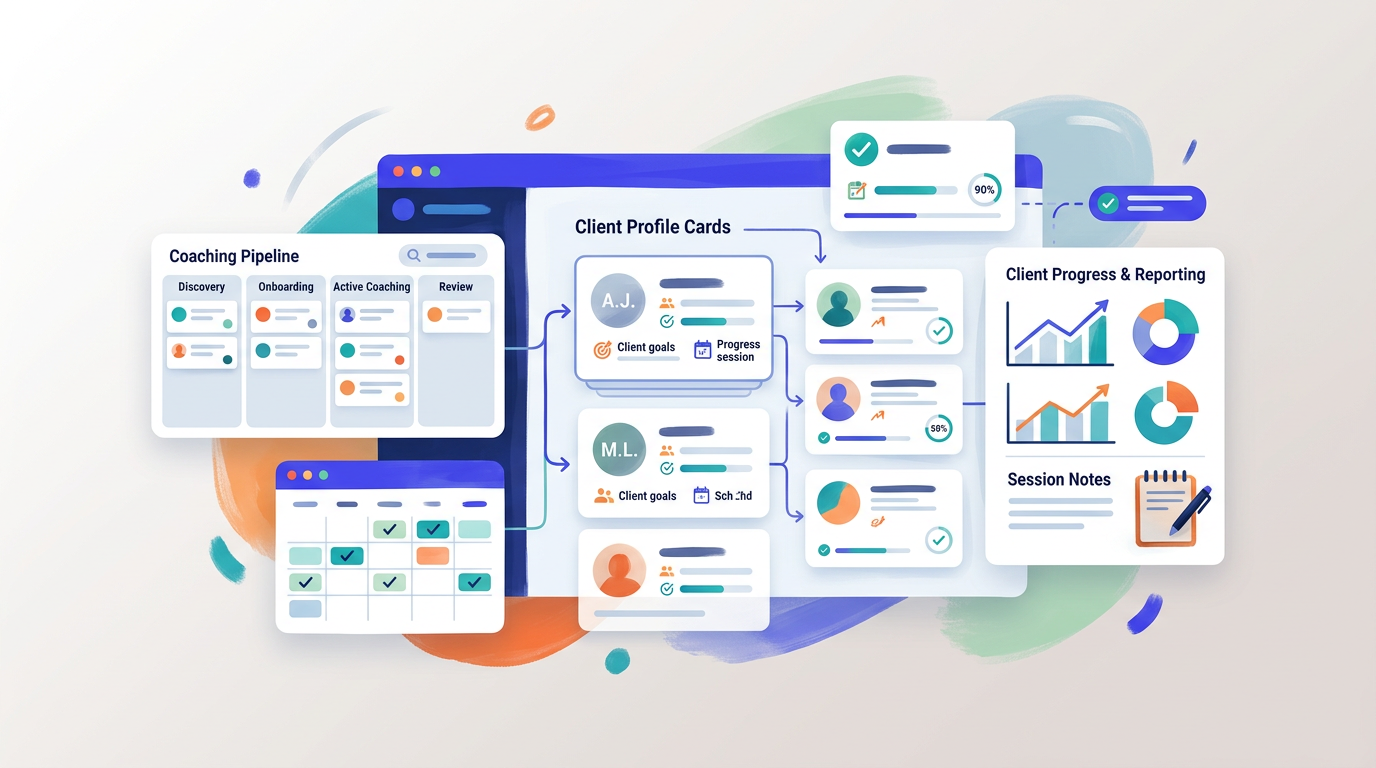
Busy calendars, scattered notes, and missed follow-ups make even great coaches feel behind. A solid system turns client chaos into clear next steps.
This guide explains coaching client management with a CRM, who benefits most, and how to set up workflows for scheduling, notes, client portals, and invoicing. It is for coaching studios, masterminds, and solo professional coaches. The key takeaway: one coaching CRM becomes your client HQ that reduces admin, lifts show rates, and speeds up payments.
What is coaching client management and why a CRM matters
Coaching client management covers everything from intake to renewals. A purpose-built CRM for coaches centralizes this work so you can coach more and juggle less.
The core jobs to be done
- Capture client context in one profile
- Schedule sessions without back-and-forth
- Record notes, wins, and next steps
- Share resources securely
- Invoice and track payments tied to sessions
Why general CRMs fall short for coaches
Generic sales CRMs focus on pipelines and deals. Coaches need session history, homework, and resource sharing. A coaching CRM prioritizes calendars, notes, client portal access, and reminders over lead scoring.
Key features to look for in a CRM for coaches
Your tool should align with real coaching workflows, not force sales terminology onto client relationships.
Client HQ with actionable context
Look for structured profiles that include session notes, pinned wins, and next steps. This lets you start each call ready, not searching through docs.
Scheduling with confirmations and calendar sync
Built-in scheduling with confirmations and Google Calendar sync prevents double booking and cuts no-shows with reminders that clients actually read.
Client portal for resources and updates
A secure portal keeps agendas, files, and homework in one place. Clients stay engaged between sessions and arrive prepared.
Invoicing mapped to sessions
Branded invoices tied to specific sessions simplify billing. Coaches and clients see what was delivered and what is due, reducing payment friction.
Step-by-step setup for coaching client management
Follow these steps to get a working system in a day, not weeks.
Step 1: Migrate and clean client data
- Export existing spreadsheets and notes
- Standardize names, emails, and time zones
- Map fields to your new CRM profile template
Step 2: Configure calendars and availability
- Connect Google Calendar
- Define service types and durations
- Set buffers and booking windows to protect focus time
Step 3: Build the client portal experience
- Add welcome message and brand elements
- Organize resources by program or milestone
- Publish office hours, policies, and support channels
Step 4: Design templates for repeatability
- Session note templates with prompts
- Follow-up message and homework templates
- Invoice templates for packages and pay-as-you-go
Step 5: Automate confirmations and reminders
- Send booking confirmations with calendar invites
- Add 24-hour and 2-hour reminders
- Include reschedule links to prevent no-shows
Scheduling that reduces no-shows
Scheduling is more than picking a time. The right flow increases kept appointments.
Confirmation and reminder strategy
- Confirm instantly with clear meeting details
- Send a 24-hour reminder with prep checklist
- Send a short 2-hour reminder with join link or address
Rescheduling without friction
Always include a reschedule link. It protects your calendar and gives clients agency when plans change.
Notes, wins, and next steps that drive outcomes
Your notes should be usable during the session and actionable after it.
A simple session note template
Use a structure like:
- Agenda recap
- Key insights
- Pinned wins
- Next steps with due dates
- Risks or blockers
Turning notes into follow-through
Convert next steps into tasks visible in the client portal. Reference pinned wins at the start of each session to reinforce momentum.
Client portal best practices
A portal is your shared workspace with clients. Keep it clean and purposeful.
What to include in the portal
- Program overview and milestones
- Session summaries and action items
- Resource library and forms
- Billing history and upcoming invoices
Engagement habits to encourage
- Post a brief weekly check-in form
- Share a monthly recap of progress
- Highlight one small win per week to sustain motivation
Invoicing and payment workflows for coaches
Billing should support coaching, not interrupt it.
Map invoices to sessions and packages
Create items for single sessions, bundles, and retainers. Tie each invoice to dates or milestones so value is obvious.
Payment collection tips
- Send invoices immediately after booking or at milestone delivery
- Offer card and ACH when possible
- Set gentle reminders before due dates
How CoachlyCRM supports coaching client management
CoachlyCRM is designed as a coaching-first client HQ that reduces admin and boosts kept appointments.
Feature snapshot
- Client HQ with profiles, session notes, pinned wins, and next steps
- Calendar-ready scheduling with confirmations and Google Calendar sync
- Invites and notifications for clients and team mentions
- Client portal for resource sharing and updates
- Branded invoices and payment monitoring
- Unlimited clients, notes, and follow-ups
Fit by use case
- Solo coaches who need a fast setup and simple billing
- Coaching studios coordinating multi-coach availability
- Masterminds sharing resources across cohorts
Quick comparison of common tool paths
Here is a concise comparison to help you choose the right path for your stage.
| Option | Best for | Scheduling | Notes and portal | Invoicing | Admin effort | |---|---|---|---|---|---| | Spreadsheets plus email | New solo coaches | Manual | Separate docs, no portal | Manual or separate app | High | | Generic sales CRM | Sales-heavy orgs | Add-ons | Limited coaching fields | Add-ons | Medium | | Coaching CRM | Coaches and studios | Built-in with sync | Session notes, portal, wins | Built-in and branded | Low |
Implementation timeline and checkpoints
Use a simple timeline to launch within two weeks.
Week 1: Foundation
- Connect calendars and brand your portal
- Import clients and tag by program
- Create note, message, and invoice templates
Week 2: Automation and polish
- Turn on confirmations and reminders
- Pilot with 5 clients and gather feedback
- Refine tags, templates, and portal structure
Metrics that show your CRM is working
Track a few leading indicators. If they trend the right way, your setup is paying off.
Operational metrics
- Kept appointment rate
- Time to schedule from inquiry
- Time to send post-session follow-up
Financial and client health metrics
- Days sales outstanding and on-time payment rate
- Session completion per package
- Renewal or referral rate
Common pitfalls and how to avoid them
Avoidable mistakes slow adoption and frustrate clients.
Overcomplicating fields and tags
Keep profiles lean. Add fields only when they change a decision or workflow.
Hiding the reschedule link
Clients will cancel if rescheduling is hard. Include the link in every message.
Real-world workflow examples
Two simple patterns can cover most coaching programs.
Package-based coaching
- Client buys a 6-session package
- All sessions pre-scheduled with buffers
- Notes and next steps logged each session
- Invoice sent once with schedule attached
Ongoing retainer coaching
- Monthly cadence with auto-invoicing
- Rolling agenda and pinned wins n- Quarterly review PDF exported from notes
When to scale to multi-coach coordination
As demand grows, so does complexity. Move to team seating when:
Clear triggers for adding seats
- You need coach assignment rules by program
- You want pooled availability and round-robin booking
- You require team mentions and internal notes
Process updates to support teams
- Standardize templates across coaches
- Use shared tags for handoffs
- Centralize reporting on sessions and renewals
Security and client trust basics
Clients expect privacy and professionalism.
Practical safeguards
- Use role-based access for team members
- Share files through the portal, not email attachments
- Keep audit trails of edits and invoices
Client-facing transparency
- Publish confidentiality practices in the portal
- Set expectations for response times and rescheduling
- Provide accessible billing history
Key Takeaways
- Use a coaching CRM as your client HQ to centralize notes, scheduling, portal access, and billing.
- Reduce no-shows with confirmations, reminders, and easy rescheduling.
- Capture pinned wins and next steps to drive momentum and renewals.
- Map invoices to sessions or packages to clarify value and speed payment.
- Start simple, template repeatables, and track a few core metrics.
A focused setup turns scattered admin into a steady coaching rhythm that clients can feel and you can sustain.